A moment to yourself.
Find your rhythm against the computer, with Easy, Medium and Hard levels. Take your board anywhere. Offline, too.
 Backgammonby Ocho
A CLASSIC, WELL PLAYED
Make time for a friend. Share a board over FaceTime, take another turn tomorrow, or settle into a game on your own. No ads interrupt the board.
Join the TestFlight betaiPhone & iPad · iOS / iPadOS 27 or later · TestFlight required.
GOOD COMPANY. GOOD GAME.
Find your rhythm against the computer, with Easy, Medium and Hard levels. Take your board anywhere. Offline, too.
Pass the device across the table, or keep a game going from afar with private iCloud games and Game Center.
Bring your shared iCloud game into a SharePlay session. Talk over FaceTime, play together, then pick up the same game later.
TOGETHER NOW. ANOTHER TURN LATER.
One shared board, whenever you both have a moment. SharePlay and unlimited open games are free for everyone.
Invite a friend to a private iCloud match. Your game has a place to come back to.
Bring that same board into SharePlay. Talk over FaceTime as you roll, move and play.
End the call and carry on later. Your score, colors and history stay with the game.
Both players need the app, internet access and access to the same shared iCloud game.
A BOARD THAT FEELS LIKE YOU
Start with Classic Tournament, included for free. Explore the full collection of 13 board styles and matching app icons with Backgammon Pro.



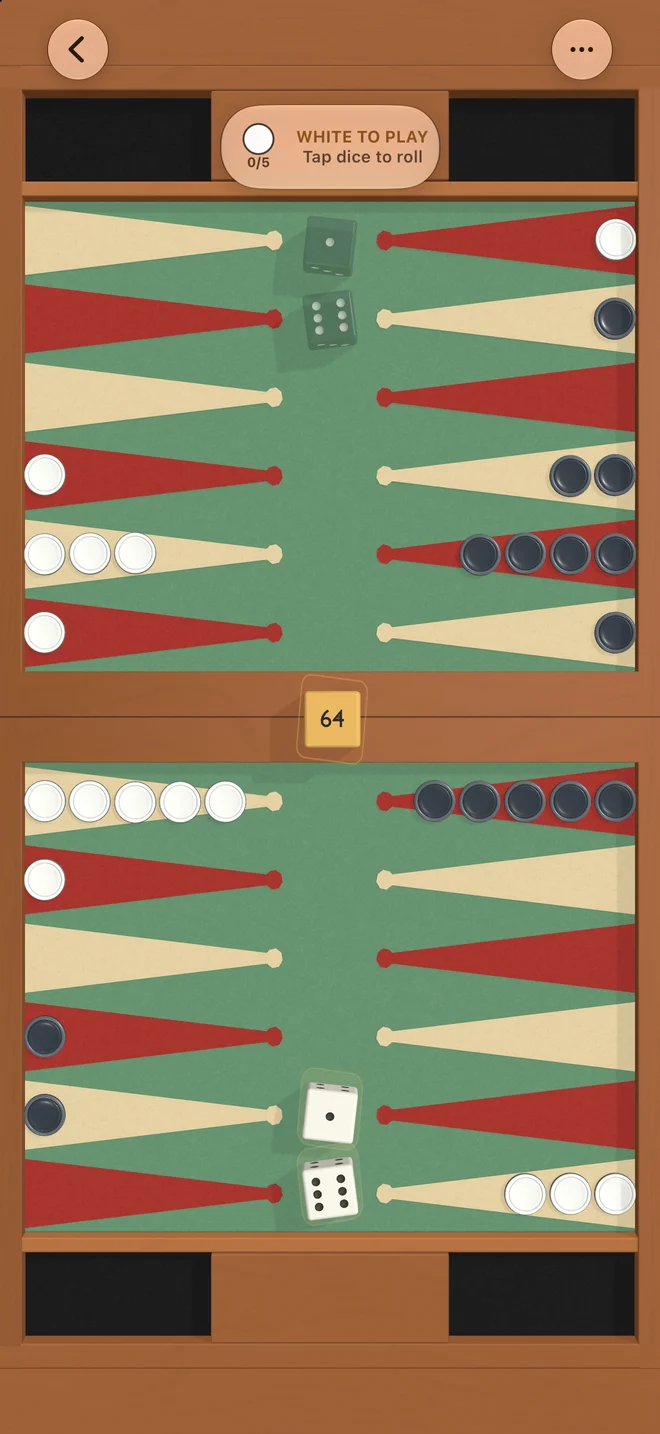
Warm wood, leather-inspired surfaces, dimensional checkers and animated dice. Shadows respond as you tilt your device, adding a subtle sense of depth.
Pro pairs every board with a matching app icon, with two golden icons as extra choices. A light, native interface leaves room for the game.
A LITTLE PRACTICE. A NEW MILESTONE.
A rules guide takes you from moving and hitting to bearing off. Easy, Medium and Hard computer levels give you room to find your rhythm.
Work toward 40 achievements presented as collectible checkers. Earn emblems to bring a little of your story to the board.
Try the Bear-Off Trial: a fixed dice sequence and the challenge of getting all six checkers home in as few turns as possible.
MORE WITH PRO. MADE POSSIBLE BY YOU.
Everyone gets unlimited open boards and all the ways to play. Optional Pro supports the independent makers at Ocho and helps us keep making Backgammon better.
FREE, ALWAYS AD-FREE
BACKGAMMON PRO
Everything free, plus:
Choose an annual subscription or a one-time lifetime purchase. Local prices are shown in the app before purchase.
Free players can enjoy a friend’s premium board in a shared online match. Your open games stay unlimited if Pro expires. Follow what’s new in the beta →
BACKGAMMON, BY OCHO
Try Backgammon before its App Store release.
Join the beta for iPhone and iPad, and help shape the next roll.
Install Apple’s TestFlight app to get started.
HERE TO HELP
We’re the independent makers at Ocho.
Questions, ideas, or a little feedback — we’d love to hear from you.
Classic Tournament, Easy / Medium / Hard computer levels, same-device play, iCloud friends, Game Center, SharePlay, the rules guide, all 40 achievements and Bear-Off Trial. Keep unlimited boards in play, even after Pro expires. Pro adds selection of all 13 boards, matching and golden icons, Expert / Master / Ultra, position history and a Pro badge.
Yes. Computer games and two players sharing one device work offline. Online games need an internet connection and the relevant Apple services. SharePlay requires both players to have the app and access to the same shared iCloud game.
Backgammon is designed for iPhone and iPad running iOS or iPadOS 27 or later, in portrait and landscape. The beta requires Apple’s TestFlight app. Check the changelog for build-specific features and known issues.
Open Settings in the app, select Backgammon Pro, then Restore Purchases using the Apple Account that made the purchase. Manage or cancel an annual subscription in your Apple Account settings. Buying lifetime does not cancel a separate annual subscription. Contact hi@ocho.so if you need help.
Check My Games and confirm you’re signed in to the same iCloud or Game Center account you used for that game. For shared iCloud games, make sure you accepted your friend’s invitation. If a game is missing, contact us before deleting the app.